
Every great video starts with a simple idea, but turning that idea into professional content often depends on the tools you use. CapCut has become one of the world’s most popular video editing applications because it makes advanced editing accessible to everyone, from beginners creating social media posts to professionals producing commercial videos. As creators become more ambitious, many eventually encounter premium features locked behind a paid subscription, leading to one of the most searched questions online: What is the CapCut Pro price?
Also Read: Cessna 172 for Sale
The answer is not as straightforward as a single number. CapCut Pro pricing varies across countries, subscription platforms, and promotional periods. A creator in the United States may see different prices than someone in India, the United Kingdom, Australia, Canada, or Europe. Understanding these regional differences helps users choose the most cost-effective plan while ensuring they receive the premium features they need.
This article explains everything you need to know about CapCut Pro pricing in 2026, including monthly and annual subscription plans, country-wise pricing, premium features, value for money, and whether upgrading is the right decision for your editing workflow.
What Is CapCut Pro?
CapCut Pro is the premium subscription service offered by CapCut, the widely used video editing platform developed by ByteDance. While the free version includes a surprisingly large collection of editing tools, the Pro version unlocks additional features designed for content creators who need more creative freedom and professional capabilities.
The software is available on Android, iPhone, Windows, Mac, and through a web browser, allowing users to edit projects across multiple devices. Whether you’re creating YouTube videos, TikTok clips, Instagram Reels, Facebook advertisements, online courses, or business presentations, CapCut Pro provides advanced editing tools that simplify complex editing tasks.
Unlike traditional professional editing software that often requires months of learning, CapCut focuses on speed and ease of use. Even beginners can produce high-quality videos using built-in templates, AI-powered editing tools, automatic effects, and drag-and-drop functionality.
Why Is CapCut Pro So Popular?
CapCut has experienced rapid global growth because it combines powerful editing features with an intuitive interface. Users no longer need expensive desktop software to create professional-looking content. Instead, they can trim videos, add transitions, insert text, apply cinematic effects, improve audio quality, generate subtitles, and export high-resolution videos directly from their smartphones or computers.
The platform is particularly popular among creators who publish content regularly. Social media influencers, YouTubers, digital marketers, freelancers, educators, and small businesses appreciate how quickly they can edit videos without sacrificing quality.
CapCut also continues to introduce artificial intelligence into its editing tools, making video production faster than ever before. These AI features are one of the biggest reasons users choose to upgrade to the Pro subscription.
How Much Does CapCut Pro Cost?
One of the most important things to understand is that CapCut does not have a single worldwide subscription price. Instead, the company adjusts pricing based on several factors, including the user’s country, local currency, taxes, payment platform, and occasional promotional discounts.
In many regions, users can choose between two primary subscription options: a monthly plan and an annual plan. The monthly subscription offers flexibility because users can cancel at any time, while the annual subscription generally provides better value by reducing the overall cost when compared to paying every month.
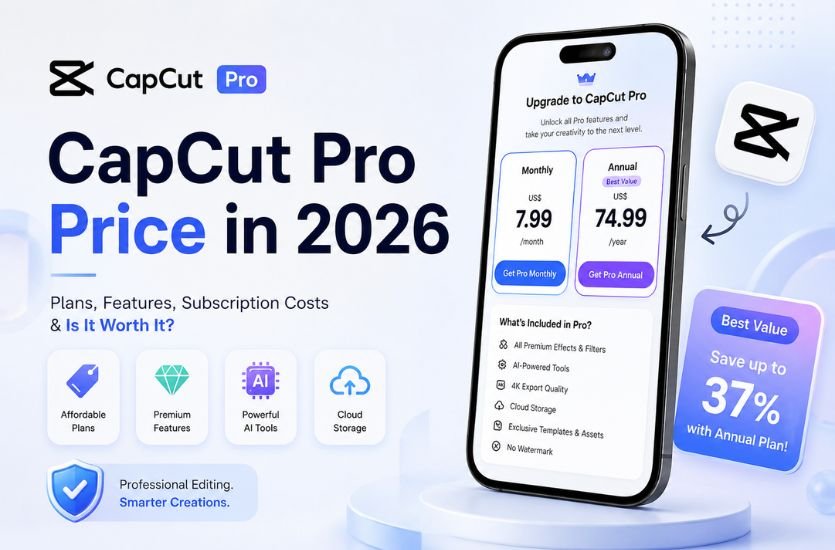
In the United States, many users typically see pricing around US$7.99 per month for the monthly plan and approximately US$74.99 per year for the annual subscription. These prices may change depending on promotional offers and platform-specific billing policies.
Because subscription costs vary internationally, users should always verify the latest pricing directly within the CapCut application before making a purchase.
CapCut Pro Pricing Around the World
Although exact prices change over time due to exchange rates and regional pricing strategies, the following examples represent the typical subscription structure available in many countries.
In the United States, users generally choose between a monthly plan priced around US$7.99 and a yearly subscription close to US$74.99.
In India, subscriptions are usually offered in Indian Rupees, with pricing adjusted to suit the local market. Promotional offers are also more common during major online sales and seasonal campaigns.
In the United Kingdom, prices are displayed in British Pounds and include any applicable local taxes. UK users may notice slight differences between Apple App Store, Google Play Store, and direct website purchases.
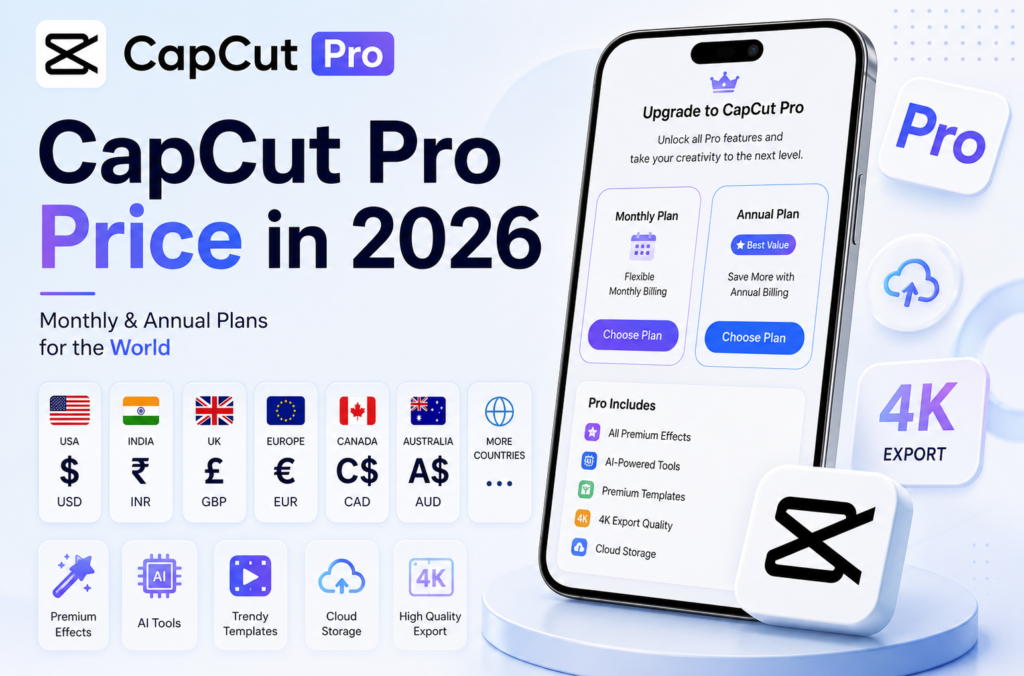
In Canada, subscriptions are billed in Canadian Dollars, while users in Australia pay in Australian Dollars. European countries typically display pricing in Euros, although individual nations may have different tax structures that influence the final subscription cost.
These regional differences explain why two users discussing CapCut Pro online may see completely different prices despite purchasing the same subscription.
What Affects CapCut Pro Pricing?
Several factors determine the amount displayed when you open the upgrade page.
Your geographic location is one of the biggest influences because CapCut adjusts subscription pricing to suit different international markets. Currency exchange rates also contribute to price differences as global financial markets fluctuate throughout the year.
Taxes imposed on digital services vary from country to country. Some regions include these taxes within the displayed subscription price, while others calculate them during checkout.
The platform used for payment also matters. Purchasing through Apple’s App Store, Google Play Store, or directly from the CapCut website may result in slightly different pricing due to payment processing fees and platform commissions.
Occasionally, CapCut launches limited-time promotions, seasonal discounts, or special offers for new users. These promotions can significantly reduce the initial subscription cost, making it worthwhile to check for current deals before upgrading.
Monthly vs. Annual Subscription
Choosing the right subscription depends on how frequently you edit videos.
The monthly plan is ideal for creators working on temporary projects or those who simply want to explore premium features without committing to a long-term subscription. Since billing occurs every month, users have the flexibility to cancel whenever they no longer require Pro features.
The annual subscription is generally the smarter choice for creators who produce content consistently throughout the year. Although the upfront payment is higher, the yearly plan often reduces the average monthly cost, providing better overall value.
Professional YouTubers, freelancers, digital agencies, online educators, and businesses that rely on video marketing typically benefit more from the annual subscription because the savings accumulate over time while ensuring uninterrupted access to premium tools.
For occasional users who only edit a few videos each year, remaining on the monthly plan—or even using the free version—may be the more economical option.
What Do You Get with CapCut Pro?
The biggest reason millions of users subscribe to CapCut Pro is the extensive collection of premium features that go far beyond basic video editing. While the free version already includes trimming, filters, music, transitions, and text editing, the Pro subscription unlocks a much larger creative toolkit designed for professional-quality content.
Subscribers gain access to thousands of exclusive templates that are updated regularly to match the latest social media trends. These templates allow creators to produce visually appealing videos in minutes, making them especially useful for TikTok, Instagram Reels, YouTube Shorts, Facebook, and business marketing campaigns.
CapCut Pro also includes premium transitions, cinematic effects, high-quality filters, animated text styles, stickers, overlays, and an expanded royalty-free music library. These resources help creators make their videos stand out without needing additional editing software.
Another major advantage is the availability of premium stock videos, images, and design assets that can be used directly within projects, reducing the need to search for third-party resources.
AI Features That Justify the Subscription
Artificial intelligence has become one of CapCut’s strongest selling points, and many of its most advanced AI tools are reserved for Pro subscribers.
One of the most useful features is Auto Captions, which automatically converts speech into synchronized subtitles. This saves creators countless hours that would otherwise be spent typing captions manually. Since many viewers watch videos without sound, captions also improve accessibility and audience engagement.
Another standout feature is AI Background Removal. Instead of filming with a green screen, users can instantly separate subjects from the background and replace it with another image, video, or graphic.
CapCut Pro also offers AI-powered tools for voice enhancement, noise reduction, object tracking, automatic scene detection, portrait enhancement, and image upscaling. Some versions include AI script writing, AI image generation, text-to-video creation, and smart editing suggestions that dramatically reduce editing time.
These features are particularly valuable for creators who publish videos regularly and want to maintain high production quality without spending hours editing every project.
Free Version vs. CapCut Pro
One reason CapCut remains incredibly popular is that its free version is already packed with useful editing features. Users can trim clips, merge videos, add music, apply filters, create transitions, insert text, adjust speed, and export high-quality videos without paying anything.
However, many advanced resources remain exclusive to Pro subscribers. Premium templates, advanced AI tools, cinematic filters, exclusive fonts, commercial-use assets, and certain effects require an active subscription.
The difference becomes more noticeable for creators who edit videos every day. While occasional users may never feel limited by the free version, professionals often appreciate the time-saving advantages and creative flexibility offered by Pro.
In simple terms, the free version is excellent for beginners and casual editors, while Pro is designed for users who create content consistently or rely on video production as part of their work.
Cloud Storage and Multi-Device Editing
Modern creators rarely work on a single device. A project may begin on a smartphone, continue on a laptop, and finish on a desktop computer.
CapCut Pro supports cloud synchronization, allowing users to access their projects across compatible devices after signing into the same account. This feature makes editing much more convenient because projects remain updated automatically without requiring manual file transfers.
Cloud storage also acts as a backup, protecting important editing projects if a device is lost, replaced, or experiences technical issues.
For teams and agencies, collaboration tools make it easier for multiple editors to contribute to the same project while maintaining organized workflows.
Export Quality and Performance
Video quality plays a major role in attracting viewers, particularly on platforms like YouTube where higher resolutions have become increasingly common.
CapCut Pro allows users to export videos with higher quality settings, including 4K resolution where supported. Premium subscribers may also benefit from higher frame-rate exports and improved rendering performance for complex projects containing multiple layers, animations, and AI-generated effects.
Faster export speeds can significantly improve productivity, especially for professionals handling multiple client projects each week.
Does CapCut Pro Offer a Free Trial?
Yes, in many regions CapCut offers a free trial for eligible new subscribers. Although availability varies depending on the country, platform, and promotional campaigns, a seven-day trial is one of the most common offers.
During the trial period, users can test premium templates, AI tools, cloud storage, and advanced editing features before deciding whether to continue with a paid subscription.
It is important to remember that many free trials automatically convert into paid subscriptions if they are not canceled before the trial period ends. Users should review their subscription settings and renewal dates to avoid unexpected charges.
Who Should Buy CapCut Pro?
CapCut Pro is not designed exclusively for professional editors. Its premium features benefit a wide variety of users depending on how frequently they create videos.
YouTubers who upload content regularly can save hours through AI-powered editing and automatic captions. Social media influencers benefit from premium templates and trendy visual effects that help maintain audience engagement.
Small businesses and digital marketers often use CapCut Pro to create product demonstrations, promotional advertisements, customer tutorials, and brand videos without hiring professional editors.
Freelancers working with client projects can complete assignments faster while producing more polished results. Educators creating online courses appreciate automatic subtitles and presentation tools that improve accessibility for students.
Wedding videographers, event creators, real estate agents, online coaches, and e-commerce businesses also find value in the premium features because professional-looking videos often translate into better audience engagement and higher conversion rates.
For users who only edit family videos or occasional social media posts, the free version may remain the better choice since many basic editing tools are already available without a subscription.
Is CapCut Pro Worth the Price?
Whether CapCut Pro is worth the subscription depends entirely on your editing habits.
If you create videos every week, publish content on multiple platforms, or earn income through digital content creation, the subscription can quickly pay for itself through improved efficiency and better-quality output. The AI-powered tools alone can save hours of editing time each month.
For businesses, investing in professional video content often delivers measurable returns through increased customer engagement, stronger branding, and improved marketing performance.
On the other hand, if you only edit a few videos every year, the free version already provides enough functionality for most personal projects. In that situation, upgrading may not provide enough additional value to justify the recurring subscription cost.
Overall, CapCut Pro offers one of the strongest feature-to-price ratios among modern video editing applications, making it an attractive option for creators who want professional tools without the complexity or cost of traditional editing software.
Pros and Cons of CapCut Pro
Like any subscription-based software, CapCut Pro comes with both advantages and limitations. Understanding these can help you decide whether upgrading is the right investment for your editing needs.
One of CapCut Pro’s biggest strengths is its impressive collection of premium creative assets. Subscribers gain access to thousands of professionally designed templates, transitions, effects, fonts, animations, and stock resources that make videos look polished without requiring advanced editing skills. These assets are updated regularly, allowing creators to keep up with the latest content trends across platforms like TikTok, Instagram, YouTube, and Facebook.
The AI-powered editing tools are another major benefit. Features such as Auto Captions, AI Background Removal, Object Tracking, Voice Enhancement, Smart Cutout, and AI-powered video generation can dramatically reduce editing time while improving the overall quality of the final project. For creators producing content daily, these tools alone can justify the subscription cost.
Cloud storage and cross-device synchronization provide additional convenience. Users can begin editing on one device and continue seamlessly on another, making CapCut Pro an excellent choice for creators who work on smartphones, tablets, laptops, and desktop computers.
However, there are a few limitations to consider. Since pricing varies by country and platform, some users may find the subscription relatively expensive compared to local purchasing power. Certain premium AI features may also roll out gradually, meaning not every feature is immediately available in every region or on every device.
Another consideration is the recurring nature of the subscription. Users who stop paying lose access to premium templates and advanced tools, making the free version their only option unless they renew.
Tips to Save Money on CapCut Pro
If you’re planning to subscribe, there are several ways to get the best value.
Choosing the annual plan is usually the most cost-effective option for regular creators because it lowers the average monthly cost compared to paying every month. While the upfront payment is larger, the savings over an entire year can be significant.
Before purchasing, check whether a free trial is available in your region. Testing the premium features first helps determine whether they genuinely improve your editing workflow.
Keep an eye on seasonal promotions. CapCut occasionally offers discounts during major shopping events or special campaigns, allowing users to subscribe at a reduced price.
Always purchase your subscription through official channels such as the CapCut website, Apple App Store, or Google Play Store. Avoid unofficial sellers advertising extremely cheap Pro accounts, as these accounts may violate CapCut’s terms of service or stop working without warning.
Common Mistakes to Avoid
Many first-time users upgrade without fully exploring the free version. Since CapCut’s free tools are already powerful, it’s worth spending some time learning what the application can do before paying for additional features.
Another common mistake is forgetting about automatic renewal. Most subscriptions renew automatically unless canceled before the billing date. Setting a reminder can help you decide whether you still need the subscription before the next payment is charged.
Some users also assume every premium feature is available across all platforms. In reality, certain AI tools or templates may launch first on mobile, desktop, or web versions before expanding to other devices.
Finally, avoid downloading modified or cracked versions of CapCut Pro. Besides violating copyright laws and the platform’s terms of service, unofficial versions may contain malware, compromise your personal information, or prevent you from receiving security updates and new features.
Frequently Asked Questions
How much is CapCut Pro per month?
In many regions, the monthly subscription is priced around US$7.99, although the exact amount varies depending on your country, currency, payment platform, and applicable taxes.
How much does the yearly subscription cost?
The annual subscription typically costs around US$74.99 in many markets. Since regional pricing differs, users should check the latest price inside the CapCut app or on the official website.
Why are prices different in each country?
CapCut adjusts subscription prices based on local currencies, exchange rates, taxes, purchasing power, and regional pricing strategies. As a result, users in countries like India, the UK, Canada, Australia, and European nations may see different subscription costs.
Can I cancel my subscription at any time?
Yes. CapCut Pro subscriptions can generally be canceled through the same platform used to purchase them, such as the Apple App Store, Google Play Store, or the CapCut website. Premium access usually continues until the end of the current billing cycle.
Does one subscription work across multiple devices?
Yes. After signing in with the same CapCut account, users can typically access their Pro subscription across supported devices, including smartphones, tablets, desktops, and web browsers, depending on the subscription terms.
Is CapCut Pro worth it for beginners?
Beginners can certainly benefit from CapCut Pro, especially if they create content frequently. However, those who edit only occasionally may find the free version more than capable of meeting their needs.
Final Verdict
CapCut has established itself as one of the most powerful and user-friendly video editing platforms available today. Its combination of intuitive design, professional editing tools, and advanced AI capabilities has made it the preferred choice for millions of creators around the world.
When evaluating the CapCut Pro price, it’s important to look beyond the subscription fee and consider the value it delivers. For YouTubers, influencers, marketers, freelancers, educators, businesses, and anyone producing videos on a regular basis, the premium features can significantly improve editing efficiency, enhance video quality, and reduce production time. Access to exclusive templates, AI-powered tools, cloud synchronization, and premium creative assets often makes the subscription a worthwhile investment.
For casual users who only edit a handful of videos each year, the free version remains one of the best no-cost video editors available. It provides an impressive range of features that are more than enough for personal projects and basic social media content.
Ultimately, the best subscription depends on your editing habits. If video creation is an important part of your work, business, or online presence, the annual plan usually offers the best overall value. If you only need premium features for a short period, the monthly subscription provides greater flexibility.
Before subscribing, always check the latest pricing within the CapCut app or on the official website, as subscription costs, promotional offers, and available features can vary by country and change over time. By selecting the plan that matches your creative needs and budget, you can make the most of everything CapCut Pro has to offer while ensuring your investment delivers real value.